
Household spending shared across the family, with the recurring bills everyone forgets.
iPhone · iPad · Mac
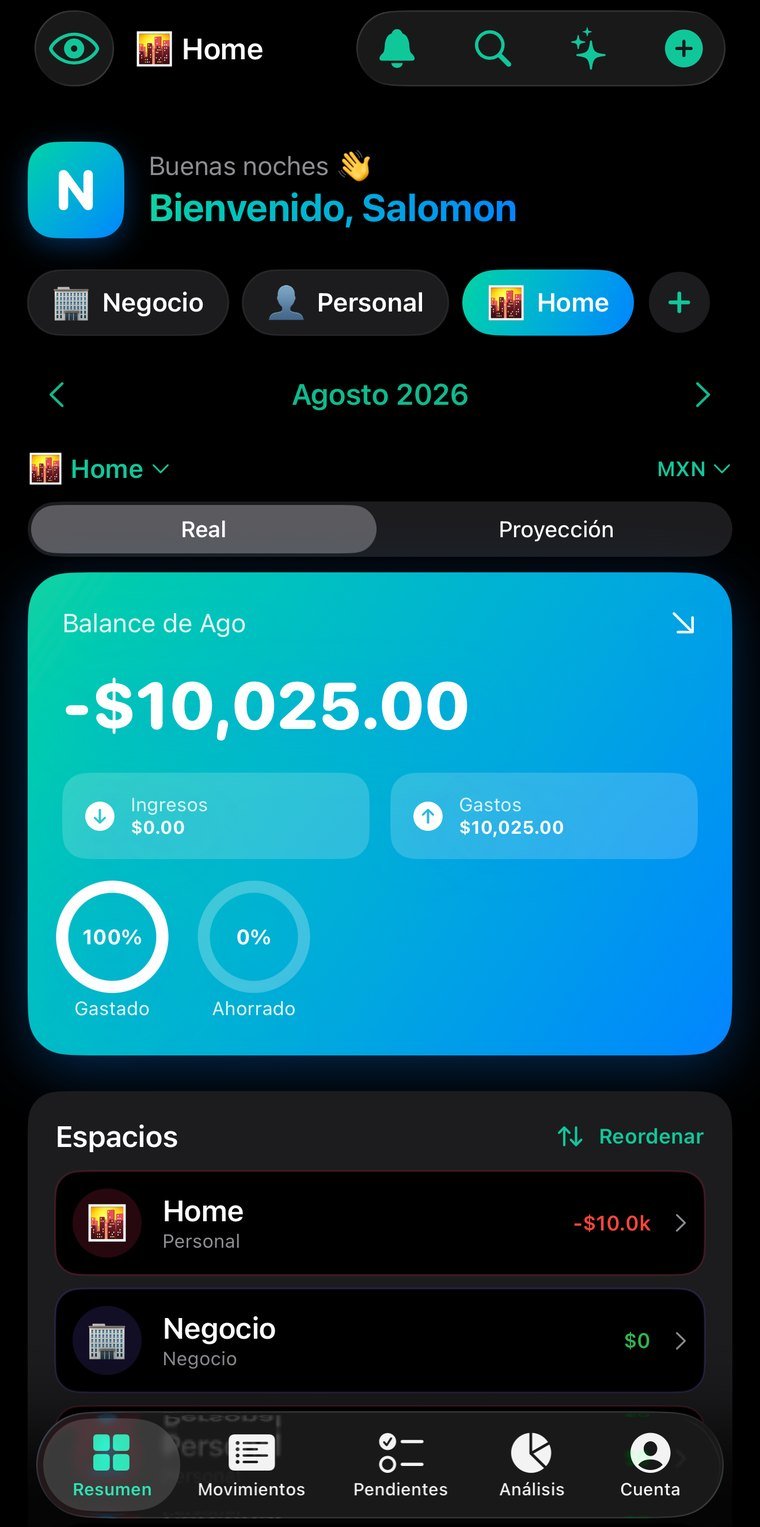
Real screenshots, not mockups. Tap any of them to see it full size; arrows move between them, Esc closes.
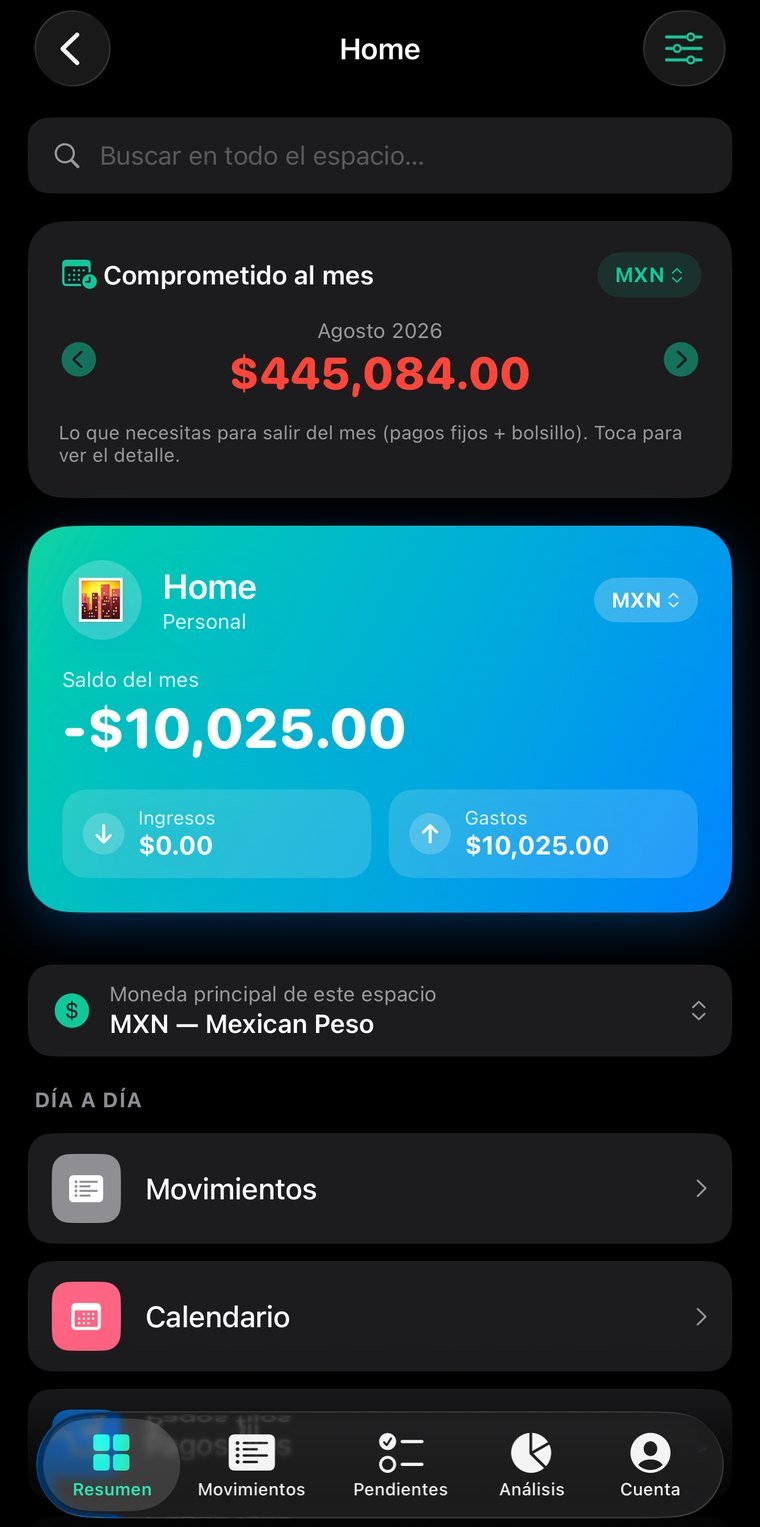
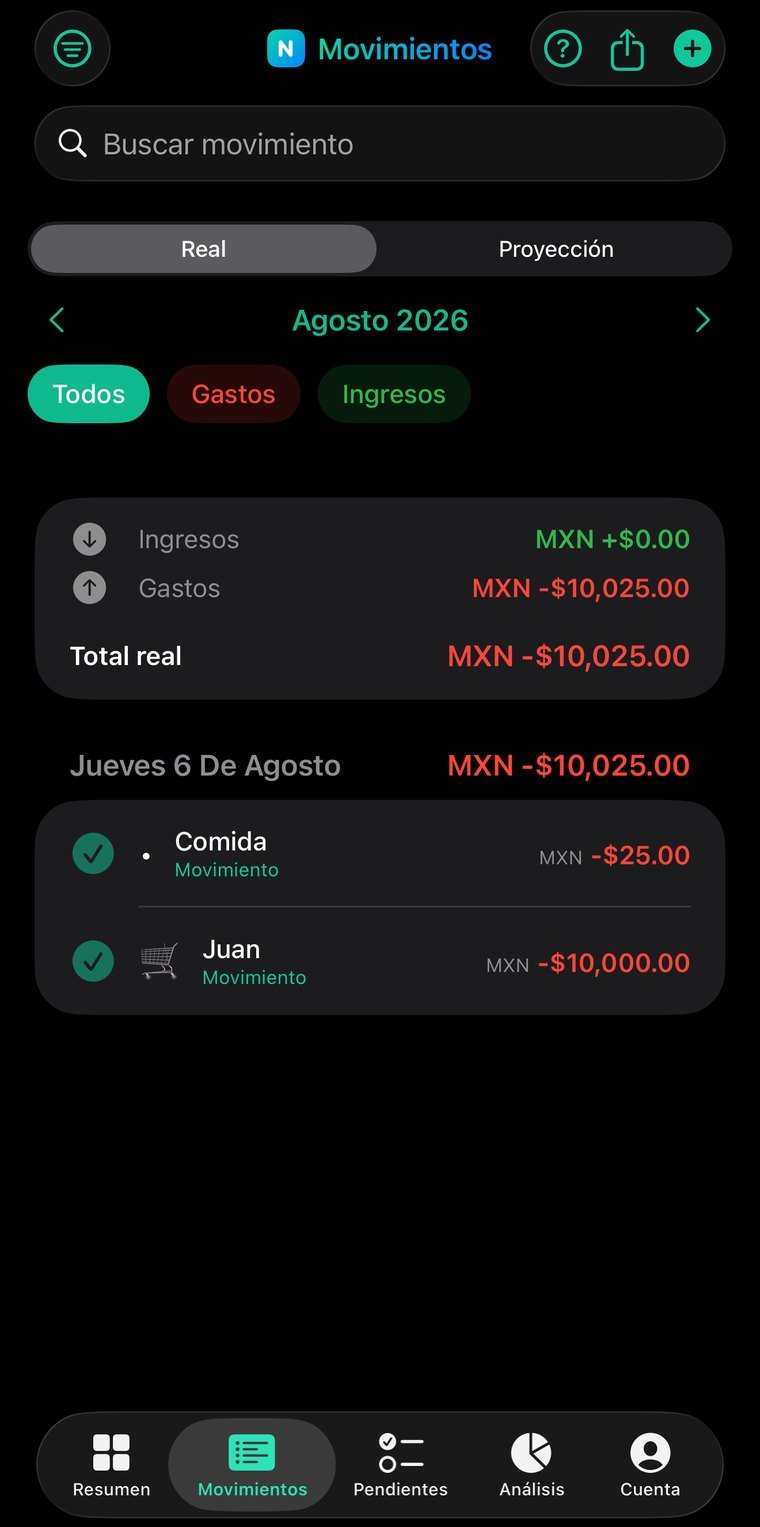
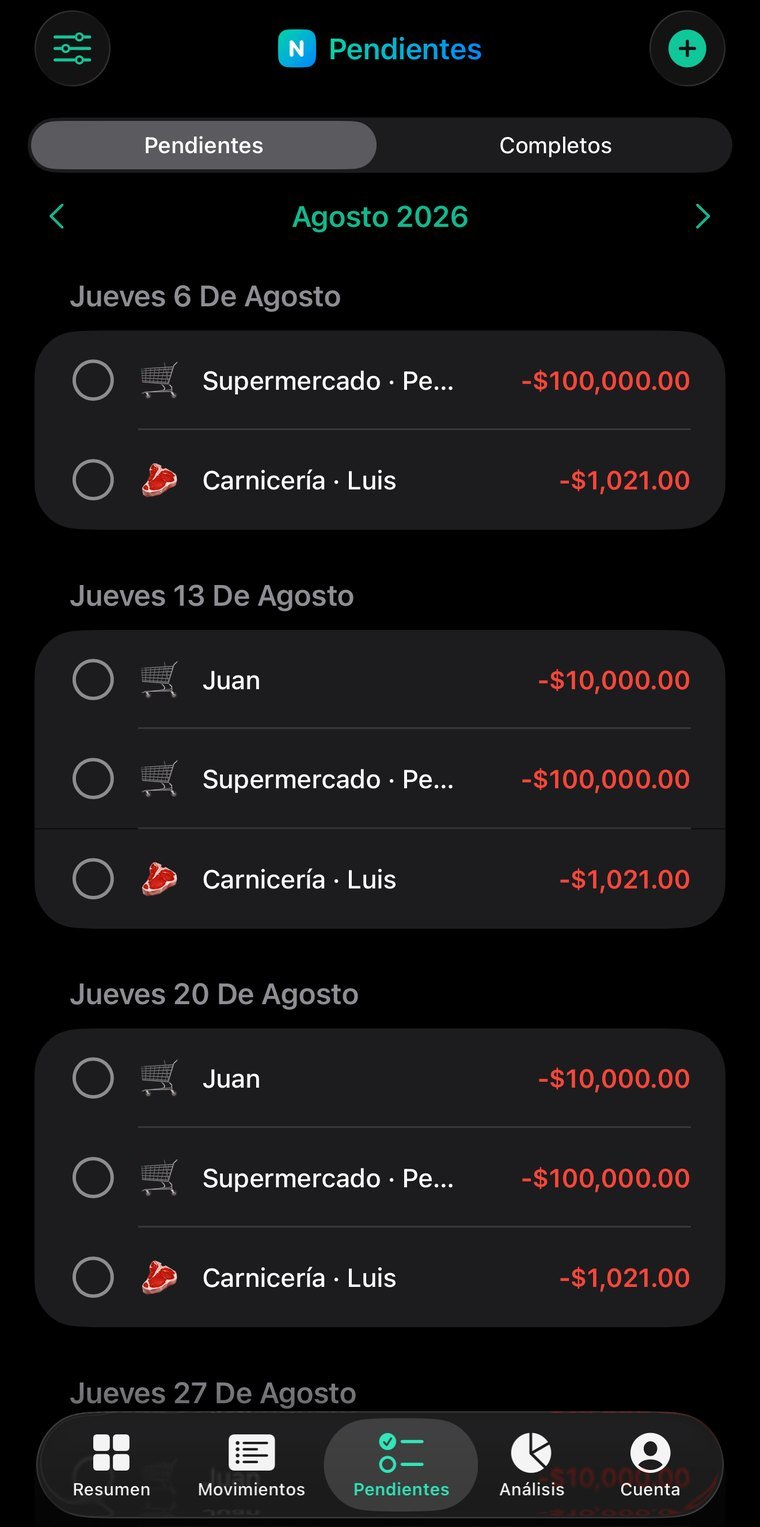
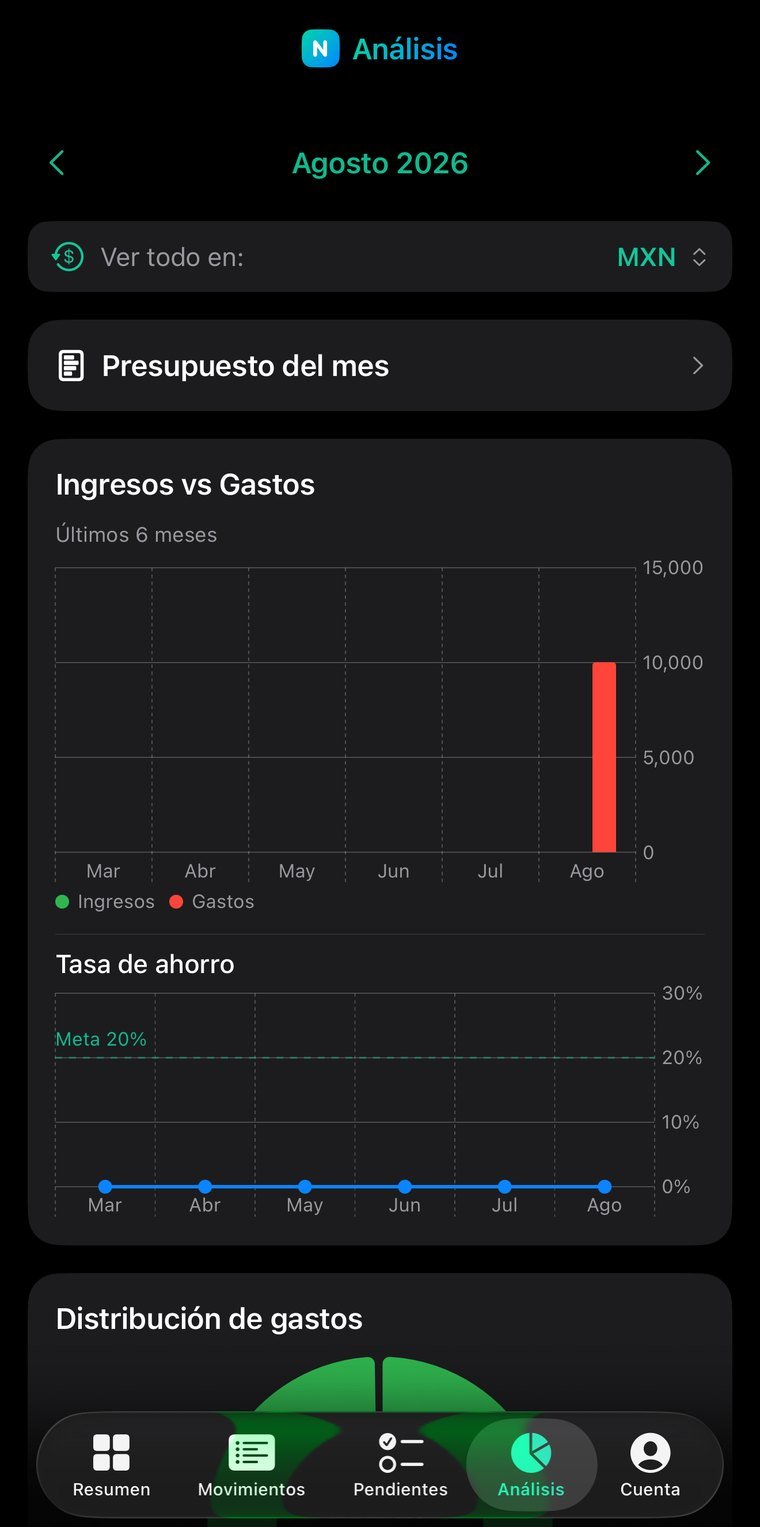
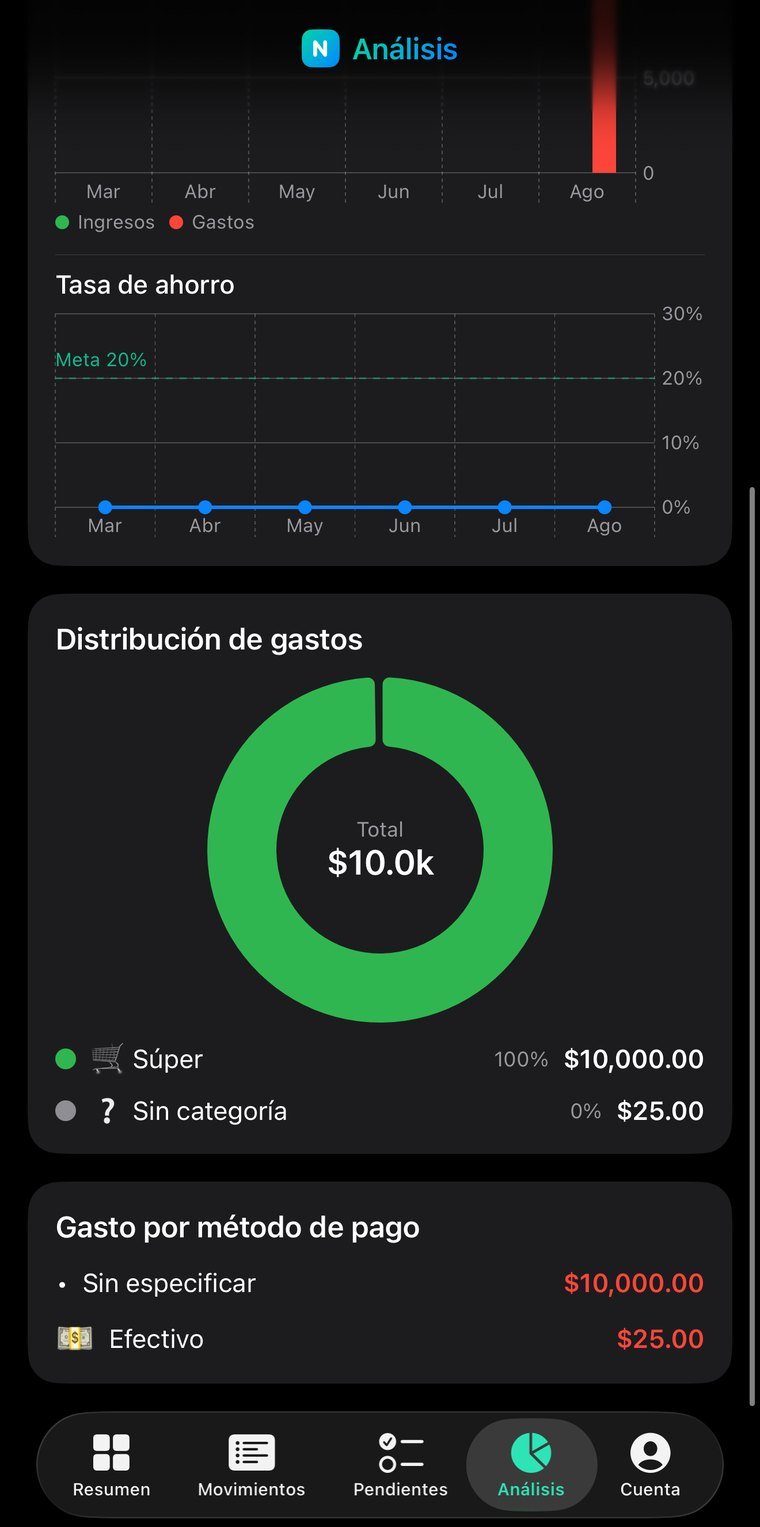
In a household the problem isn't not knowing what was spent: it's that nobody remembers what's due and when, and everyone tracks their own piece separately. A personal finance app built for one person doesn't solve that. NookFin puts the family in the same group, with recurring payments and their due dates where everyone can see them.
Several members in the same group: everyone enters, everyone sees the same thing, without sending each other screenshots.
The monthly payments with their dates, so none of them slip. They're the ones most often forgotten because they don't hurt until the late fee arrives.
What it's really spent on and what share of income is going out — the number that changes decisions, not the month's total.
How much can be spent per category and how much is left this month, with the same figure for every member.
No new account, nothing to install: you sign in with the same email and password as the app and see your information on a big screen. Useful for reviewing, showing someone something, or printing without passing screenshots around.
The email and password you already use. If you don't remember it, the reset email goes out from that same screen.
Transactions, recurring bills, due dates, categories…
The session lives only in that tab and is erased when you close it. If you signed in on a borrowed computer, nothing is left behind.
The web is for reading; entry happens in the app. Two places writing at once is how information stops reconciling and changes get lost — we'd rather that simply couldn't happen.
Permissions are enforced server-side, not by the page. From the browser you can't reach information that isn't yours, even if someone tries by hand.
If you belong to a household group, you see the same as the other members.
For families and shared households where more than one person pays for things and nobody has the whole picture.